Table of Contents
- Why Regular Solar Energy System Maintenance Matters
- Step 1: Monitor Performance and Track Energy Output
- Step 2: Clean Solar Panels and Remove Debris
- Step 3: Inspect Your Solar Inverter and Electrical Connections
- Step 4: Schedule a Professional Solar Inspection Checklist
- Step 5: Maintain Battery Storage and Check System Health
- Common Maintenance Mistakes to Avoid
- Frequently Asked Questions
Last Updated: September 30, 2026
Why Regular Solar Energy System Maintenance Matters
A well-maintained photovoltaic system delivers consistent energy output year after year. Without regular attention, your solar panels lose efficiency, your inverter may fail unexpectedly, and you risk voiding your warranty. At Strong Tower Solar Electrical Services & Generators LLC, we understand the importance of regular maintenance to protect your investment.
Regular monitoring and cleaning keep your system running at peak performance and protect your long-term investment.
Preventive maintenance is far cheaper than reactive repairs. A failed inverter costs hundreds to replace, and debris buildup reduces output by 5-15%. Regular checks catch problems early.
Set a calendar reminder for monthly performance checks and quarterly panel inspections. This simple habit prevents most common issues before they become expensive problems.
Step 1: Monitor Performance and Track Energy Output
Check your monitoring software or app for real-time energy production. Compare this month’s output to last month’s and this year to last year.
A sudden drop in production signals trouble. Log into your digital monitoring interface weekly and track daily kilowatt-hour (kWh) totals.
Here’s what to track:
- Daily energy production in kWh
- Inverter status (normal, fault, warning)
- Voltage levels at the combiner box
- Ambient temperature and weather conditions
If production drops 10-15% without a weather explanation, check for shade from new tree growth or nearby construction. Rising utility bills paired with falling production signal system problems.
A sudden drop to zero output often means a breaker tripped or an isolator switch was turned off. Check your electrical connections and inverter isolators before calling a technician. This catches 40% of “system failures” that aren’t actually failures.
Step 2: Clean Solar Panels and Remove Debris
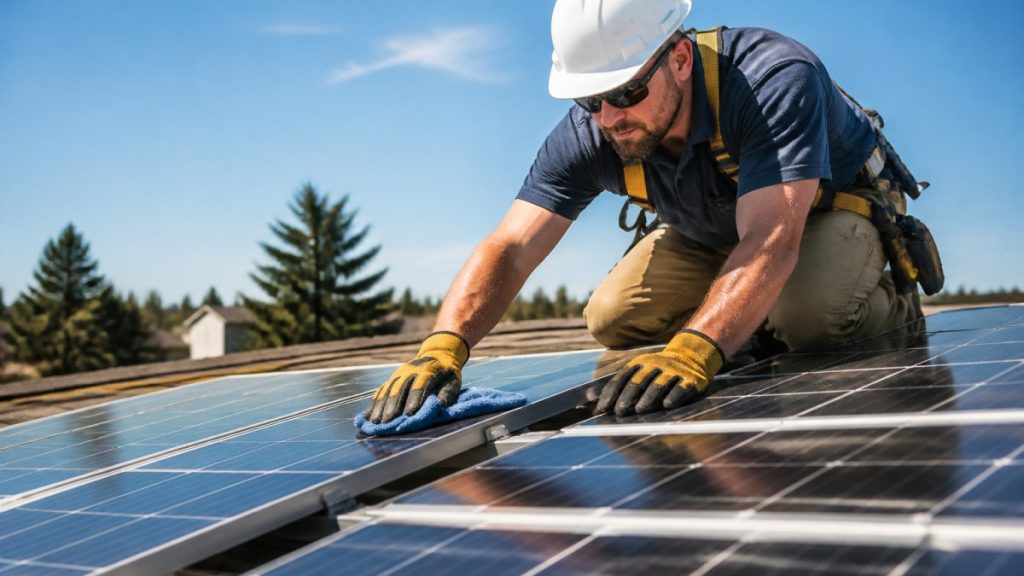
Dust, pollen, bird droppings, and leaves reduce panel output. Dusty areas need cleaning every 4-6 weeks; areas with regular rain can go 3-4 months between cleanings.
Use deionized water and soft-bristle brushes only; pressure washers, abrasive materials, and harsh chemicals damage panels and void warranties.
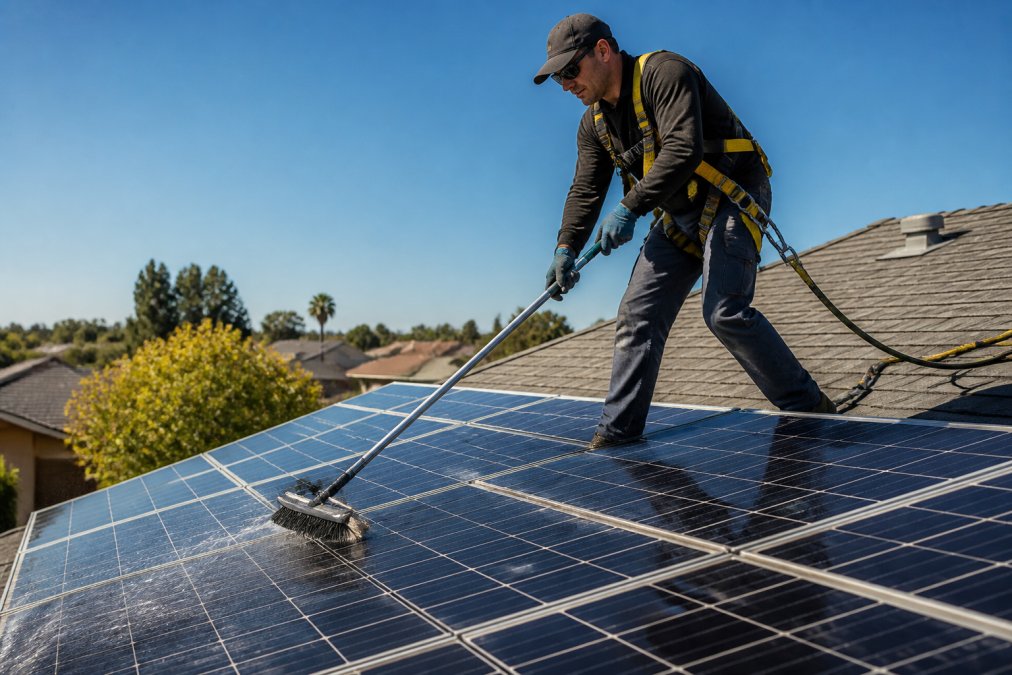
Here’s the safe cleaning process:
- Turn off your system at the main breaker
- Wait for panels to cool (early morning or late afternoon)
- Rinse panels gently with deionized water from below
- Use a soft brush to remove stubborn debris
- Rinse again with deionized water
- Let panels dry naturally
- Turn the system back on and verify normal operation
If you’re uncomfortable working at height, hire a professional. The cleaning cost is minimal compared to medical bills or panel replacement.
| Cleaning Frequency | Climate Type | Best Season |
|---|---|---|
| Every 4-6 weeks | Desert/dusty | Year-round |
| Every 8-10 weeks | Mixed climate | Spring & fall |
| Every 12 weeks | Wet climate | After dry spells |
Step 3: Inspect Your Solar Inverter and Electrical Connections
Your inverter converts DC power into AC power for your home. Check it monthly for warning lights or error codes on the display.
Green status lights indicate normal operation; yellow or red lights signal problems. Write down error codes and consult your inverter manual for their meaning.
Inspect all visible electrical connections:
- Check combiner box terminals for corrosion or looseness
- Look for burned or melted insulation on wiring
- Verify all disconnect switches are in the correct position
- Examine the AC disconnect switch for proper operation
- Test that all circuit breakers move freely
Corroded connections reduce voltage and cause power loss. If you find burned insulation, stop and call a professional immediately.
Most inverters last 10-15 years. Plan replacement before failure to avoid zero production during peak season.
Step 4: Schedule a Professional Solar Inspection Checklist
Annual professional inspections catch problems you’ll miss. Technicians use thermal imaging to detect hot spots, measure voltage and amperage at multiple points, and verify grounding and bonding connections.
A professional inspection should include:
- Visual inspection of all panels for cracks, delamination, or corrosion
- Thermal imaging to find micro-cracks, hot spots, and internal failures
- Voltage and amperage testing at the combiner box and string level
- Inverter performance analysis, error code review, and firmware updates
- Electrical connection inspection, tightening, and corrosion assessment
- Grounding and bonding verification per National Electrical Code (NEC) standards
- Performance report comparing actual vs. expected output (accounting for weather)
- Detailed maintenance log entry with date, findings, and work performed
Why Maintenance Documentation Protects Your Warranty
Most manufacturers require documented annual professional maintenance to honor warranty claims. Without records, coverage may be denied even if neglect didn’t cause the failure.
Keep a maintenance binder (digital or physical) with inspection reports, cleaning logs, performance data, repair invoices, firmware updates, and battery logs.
Safety Considerations for Roof Access
Professional inspections typically happen once per year and take 2-3 hours. They cost far less than repairing problems found after system failure, and the documentation they provide is required to keep most manufacturer warranties valid.
Step 5: Maintain Battery Storage and Check System Health
If your system includes battery storage, regular monitoring and seasonal adjustments maximize lifespan and performance.
Monthly Battery Monitoring Tasks
Seasonal Maintenance Protocols
Winter (November-February):
- Batteries discharge 15-25% faster in cold temperatures
- Reduce your target state of charge to 70% instead of 80% (cold reduces usable capacity)
- Ensure battery enclosure is insulated; uninsulated garages can drop to 20-30°F, severely limiting output
- Check connections monthly for corrosion (cold increases oxidation risk)
- If your battery is outdoors, verify weatherproofing seals are intact
- Monitor voltage more frequently; cold causes temporary voltage sag
Spring (March-May):
- As temperatures rise, battery efficiency improves
- Return to normal 20-80% state of charge targets
- Inspect all connections for corrosion accumulated over winter
- Clean battery terminals with a soft brush and distilled water if corrosion is present
- Verify cooling fans (if equipped) are operating and free of dust
Summer (June-August):
- High temperatures reduce battery lifespan; each 10°F above 77°F cuts lifespan by 10-15%
- If batteries are in an uninsulated space, consider adding ventilation or relocating them
- Reduce target state of charge to 70-75% during peak summer months
- Check temperature readings daily; if consistently above 95°F, investigate cooling options
- Ensure inverter cooling fans are clear of obstructions
- Monitor voltage for signs of thermal stress (erratic readings)
Fall (September-October):
- Prepare for winter by ensuring insulation and weatherproofing are intact
- Return to normal charging targets as temperatures moderate
- Perform a full connection inspection before cold weather arrives
- Review battery age and plan for replacement if approaching end of warranty (typically 10-15 years for lithium)
Digital Monitoring Tools and Alerts
- Battery management app alerts: Most systems notify you of temperature extremes, voltage imbalances, or low state of charge
- Performance dashboards: Track daily charge cycles and compare to historical averages; a sudden increase in cycles may indicate a panel or inverter problem
- Predictive maintenance: Some platforms use machine learning to forecast battery degradation and recommend service before failure
- Integration with home automation: Link battery status to smart home systems to automatically adjust load or charging during peak demand
Battery Connection and Corrosion Management
Inspect battery terminals and all DC connections quarterly:
- Look for white, blue, or green deposits on terminals (signs of corrosion)
- Tighten all connection bolts; vibration and thermal cycling loosen them over time
- If corrosion is present, disconnect the battery, clean terminals with distilled water and a soft brush, dry thoroughly, and reconnect
- Apply a thin layer of dielectric grease to terminals to prevent future corrosion
- Never use sandpaper or wire brushes; these damage terminal surfaces
Battery Replacement Planning
Start planning replacement 1-2 years before end of life:
- Request a capacity test from your installer (measures actual usable capacity vs. rated capacity)
- If capacity has degraded below 80%, replacement is approaching
- Plan for replacement if approaching end of warranty (typically 10-15 years for lithium).
- Coordinate replacement with your annual professional inspection; technicians can assess battery health and recommend timing
Never attempt to open, repair, or disassemble a battery pack yourself. Lithium batteries contain flammable electrolyte and can ignite if damaged. If you suspect internal failure (swelling, unusual heat, or burning smell), disconnect the battery immediately and call your installer.
Seasonal adjustments to charging targets and temperature management can extend battery lifespan by 20-30%. Digital monitoring apps catch problems in real time, and a simple maintenance log ensures you catch degradation before it becomes critical.
Common Maintenance Mistakes to Avoid
Most homeowners make these preventable errors. Learn from them.
Mistake 1: Ignoring small performance drops. A 5% drop seems minor. But 5% per year compounds. After five years, you’ve lost 25% of your production. Investigate every drop immediately.
Frequently Asked Questions
How often should I have my solar energy system professionally maintained?
Most solar energy systems benefit from professional inspection and maintenance annually, though some systems may need attention twice per year depending on environmental factors like dust, pollen, or nearby vegetation. Regular monitoring of your energy output through your inverter’s display or monitoring software will alert you to performance drops that warrant immediate professional inspection. Seasonal maintenance checklists help catch issues before they impact your system’s warranty compliance and energy yield.
What is the typical solar panel cleaning cost in 2026?
Solar panel cleaning costs vary based on your system size, roof pitch, accessibility, and local labor rates. Factors affecting pricing include the number of panels, whether deionized water systems are required, and whether professional equipment is needed for safe roof access. Rather than estimate costs, contact Strong Tower Solar Electrical Services & Generators LLC for a free estimate tailored to your specific system and location.
Can I clean my solar panels myself, or do I need a professional?
While some homeowners perform basic debris removal from ground level, professional solar panel cleaning offers significant advantages. Professionals use proper safety protocols for roof access, deionized water to prevent mineral deposits that reduce efficiency, and thermal imaging to identify micro-cracks or soiling loss that affect energy output. Professional servicing also protects your warranty compliance and ensures electrical connections remain secure throughout the cleaning process.
What signs indicate my solar energy system needs professional repair?
Watch for sudden drops in energy output, inverter error codes or red indicator lights, physical damage to panels or mounting hardware, loose electrical connections, or unexpected increases in your utility bills despite sunny weather. Performance monitoring software can help track energy yield trends. If you notice shading from new tree growth, roof integrity issues, or voltage level fluctuations, schedule a professional inspection immediately to prevent long-term damage to your photovoltaic system.